KE Sheets
Standalone AI spreadsheet
Work in the grid. Bridge to Excel. Add agents.
Opens as its own program. Shares a local workbook library and Office bridge — with installed Microsoft Excel handling advanced Power Query and VBA assignments without rewriting their master files. Coded by William Keenan.
$4.99/mo
A real grid. A real copilot.
Live formulas, multi-sheet workbooks, a shared local library, and an AI copilot that writes cells — formula, fill, analyze, clean — then patches native KE workbooks in place. Generated models export as real .xlsx, not flattened CSV.
For advanced .xlsx, .xlsm, and .xlsb files, this grid is a read-only snapshot. The linked master is never rewritten by the KE grid; Microsoft Excel remains its editor and compatibility runtime.
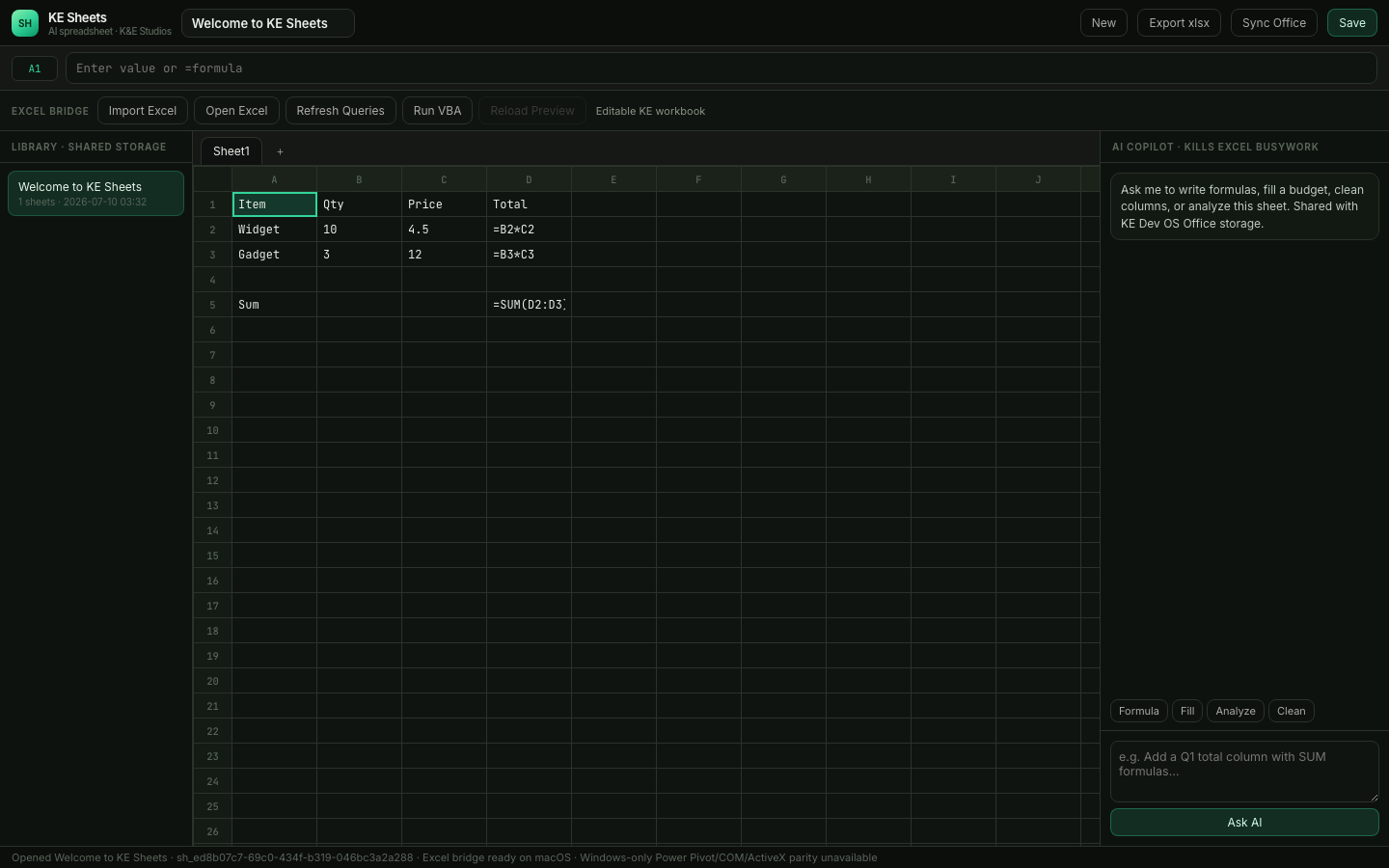
KE Sheets · 127.0.0.1:7440
Formula bar, tabs, library, and the AI copilot — one app window, everything local.
Pay → install → it's yours
KE Sheets is local-first software — there's no website to log into. You subscribe, install with one command, and the app runs on your machine in its own window.
- 1
Subscribe
$4.99/mo through Stripe. Your subscription is tied to your email; the receipt lands in your inbox.
- 2
Install
The confirmation page gives you the current product installation instructions.
- 3
Launch
Run `grokcode sheets` — a dedicated app window opens. Workbooks live in ~/.grokcode/sheets on your disk. Cancel anytime; your files are yours.
Use the right runtime for the workbook
KE Sheets owns its generated grid models. Advanced Excel files stay linked and preservation-safe, while Open Excel, Refresh All, and confirmed VBA actions run in Microsoft Excel itself.
Separate program
grokcode sheets opens a dedicated app window (Chrome or Edge app mode when available) — not another spreadsheet tab.
Byte-preserved Excel masters
Import .xlsx, .xlsm, or .xlsb as a byte-for-byte managed copy. KE never rewrites the linked binary through ExcelJS; Microsoft Excel is its only editor.
Excel-native Power Query
Open Excel to edit M in Power Query Editor, then run Refresh All through installed Microsoft Excel so queries, connections, and credentials use their native runtime.
Trusted VBA execution
Open and enable a trusted imported .xlsm in Excel first. After explicit confirmation, run only its named Module.Procedure; Excel security policy still applies.
AI that writes cells
Formula, fill, analyze, clean, and chat patch native KE workbooks in place. Generated models export as real .xlsx files.
Local, shared library
Native models, linked masters, exports, and AI history live under ~/.grokcode/sheets and sync with the project Office library and sheets_* agents.
Platform and trust note: the Excel bridge requires installed Microsoft Excel on macOS or Windows; Linux retains the native KE grid but cannot run this bridge. External imports stay marked untrusted and require confirmation before Excel opens them. Full Windows-only connectors, Power Pivot, ActiveX, COM, and Win32 parity requires Excel for Windows. To add VBA to a generated .xlsx, Save As .xlsm in Excel and import that saved macro-enabled file before running it.
One command. Separate window.
# Launch from an existing local installation
grokcode sheets
# alias:
grokcode excel

# Native KE workbook + AI
grokcode sheets new --title "Q3 model" --template budget
grokcode sheets ai sh_… --prompt "Add monthly totals" --action formula
grokcode sheets export sh_…

# Advanced Excel bridge (.xlsx / .xlsm / .xlsb)
grokcode sheets import --file ./assignment.xlsm
grokcode sheets open-excel sh_… --confirm-excel-open  # review source and trust prompts
grokcode sheets refresh-queries sh_…  # workbook stays open in Excel
grokcode sheets reload-excel sh_… --confirm-excel-complete  # after verify + save
grokcode sheets vba sh_… --macro Module1.Main --confirm-vba

# Share a native model with the Office stack
grokcode sheets sync sh_…

# The launch command opens a capability-protected local URL
Storage: ~/.grokcode/sheets · bridge to cwd/office/ · agents: sheets_*
A K&E Studios product.
Same studio as Game Host and Media API. Spreadsheets that belong to the operator stack, with Microsoft Excel retained as the compatibility runtime for advanced files.